Navigate the Site
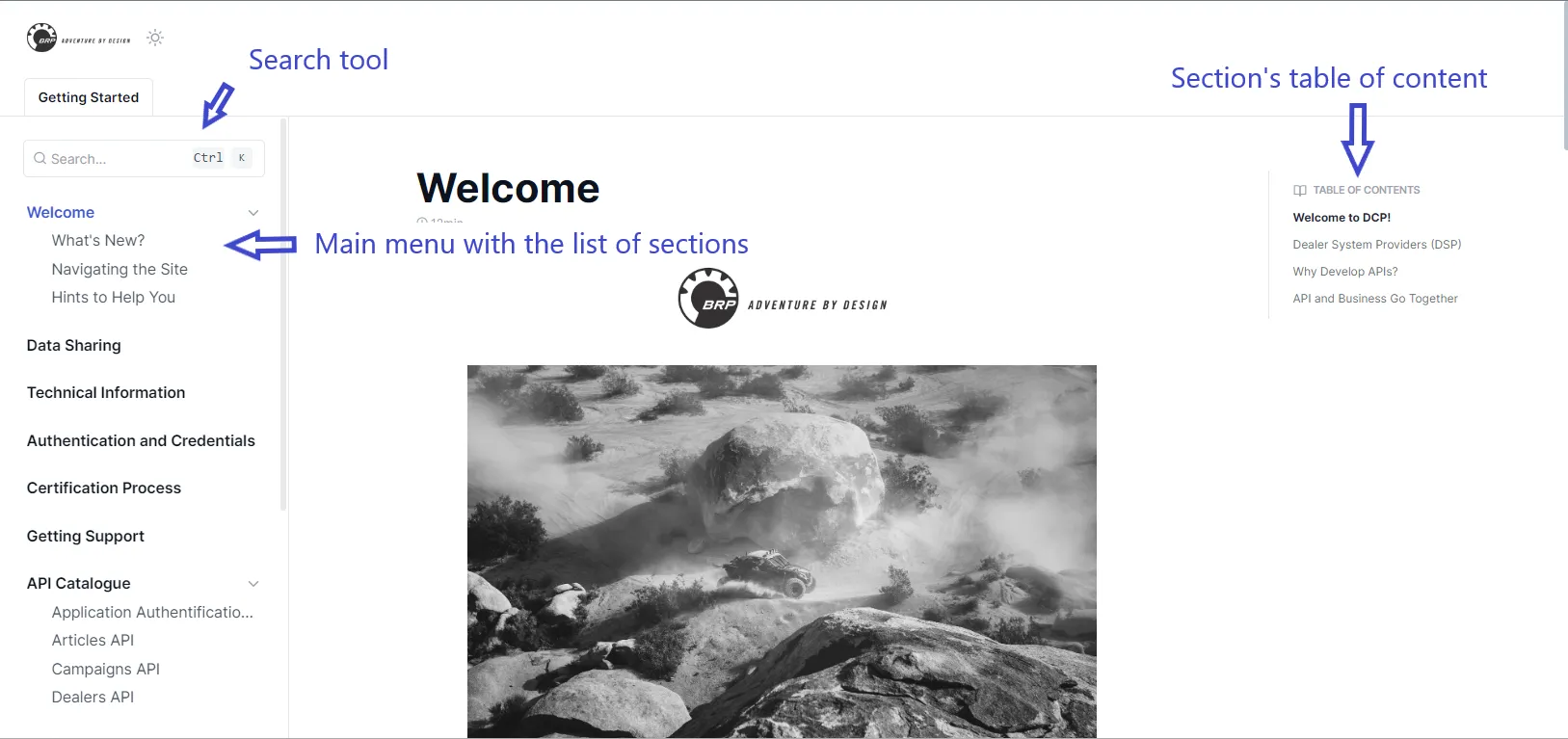
Navigating the site is easy. There are three main elements on all pages, as shown in the picture below:
- The main menu with a list of sections on the left.
- The section's table of contents is on the right.
- The search field is on the top left side.
Scrollbars
A note on the three scrollbars, which may be confusing. As shown in the picture below:
- There is one for the main menu.
- One for the table of contents.
- One for the page.
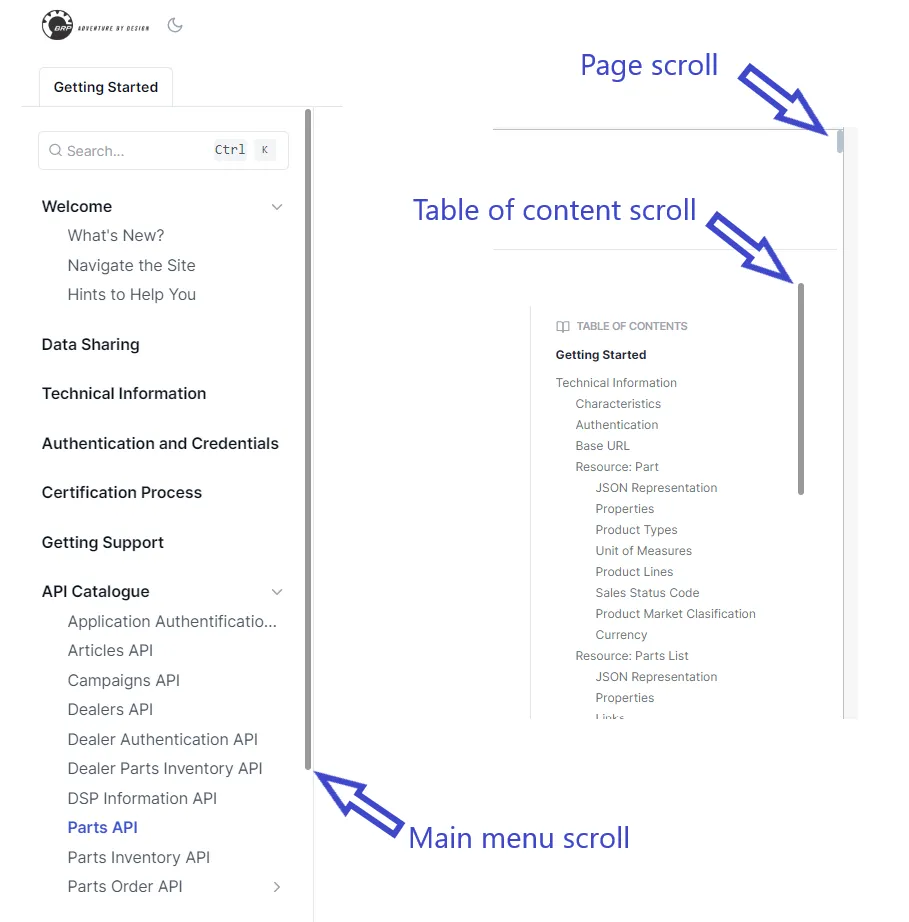
If you don't see a scrollbar, move your mouse to the area, and it will appear.
Search
When you click on the search field (or press CTRL-K), the search bar is shown.

When you start typing text, the items found are displayed dynamically.
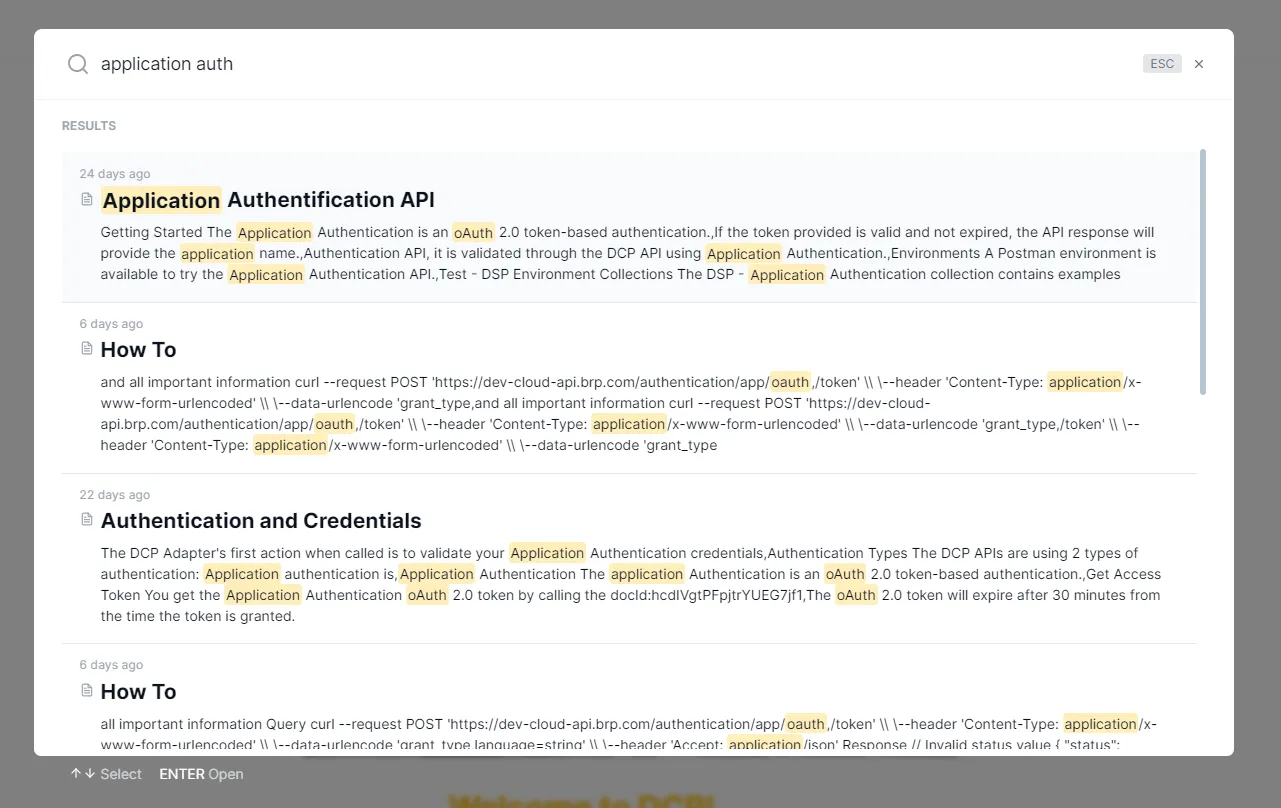
Click on any of the found entries to jump to the documentation section.
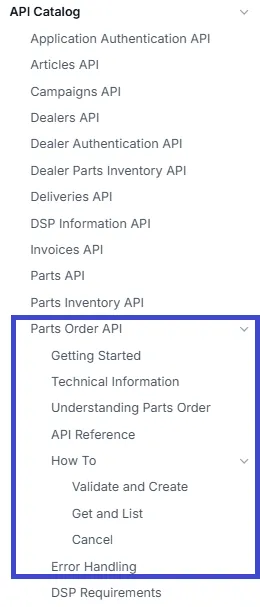
API Catalog
You will see in the API Catalog section that the documentation for most APIs is in one section.
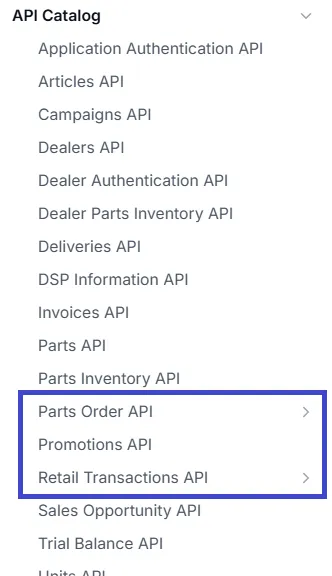
However, some APIs are more complex and require more documentation. In this case, the API documentation has many subsections. The arrow on the right of the API name indicates there are sub-sections.
The sub-sections are opened when you click on the API name in the main menu.